19 min to read
How to Investigate a Hacked WordPress Site (A SOC Playbook)
Tracing a site takeover from rogue admin accounts back to root cause — and the hardening checklist to prevent the next one
PLAYBOOK FLOW
Investigation path
- 1Preserve evidence
- 2Scope shared hosting
- 3Contain accounts and host
- 4Trace the access path
- 5Eradicate and harden
Introduction
There’s a specific kind of message that gets your attention fast.
Not a WAF dashboard slowly lighting up. Not a threshold alert.
Just a screenshot in chat, and a sentence:
“The homepage isn’t ours anymore. Who’s
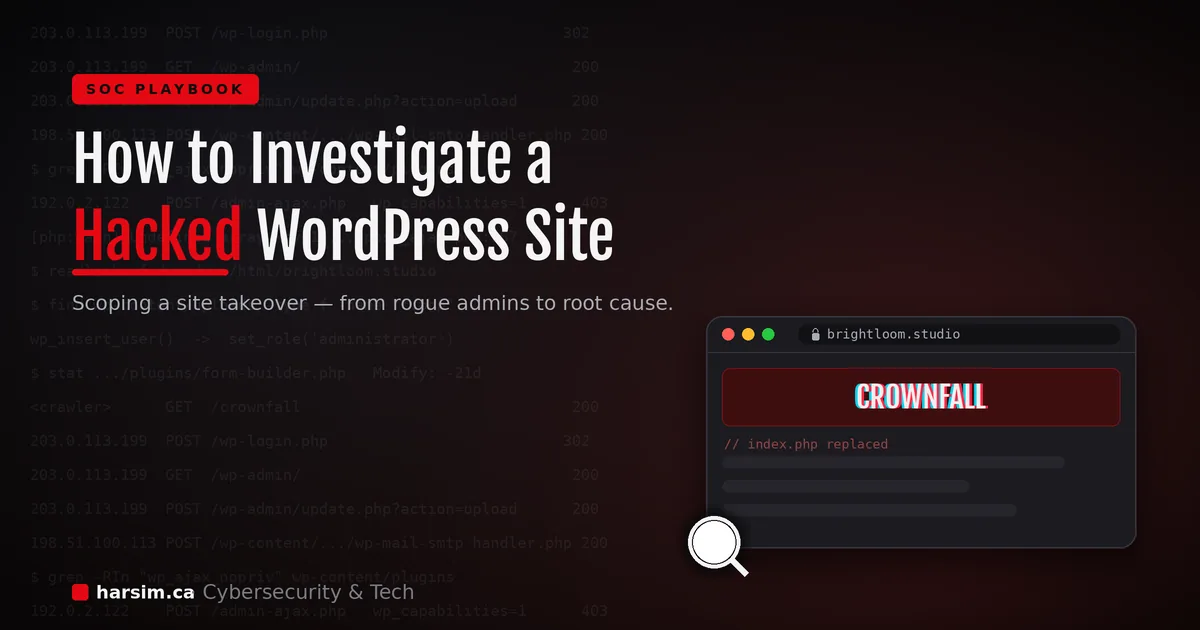
CROWNFALL?”
A defacement is one of the few incidents that’s loud. The whole world can see it. And that loudness creates pressure to do the one thing you shouldn’t do first — start ripping things out before you understand what actually happened.
I’ve worked a few of these now, and the pattern that keeps repeating is this: the attack is noisy, but the investigation is quiet. The splash page screaming a crew’s name tells you almost nothing about how they got in. The answer is always sitting in the logs, the plugin folder, and the file timestamps — and it’s usually a lot more boring than the graffiti on the front page.
This post walks through how I approach a hacked WordPress investigation end to end: scoping the blast radius, containing without torching your own evidence, reading the logs, and — the part most people skip — telling the difference between a file dropped on disk and live abuse of a vulnerable endpoint. That distinction is the fork that organizes the entire investigation.
A note before we start: everything below is a sanitized, composite scenario. The site names (
brightloom.studio,brightloom-labs.io), the crew name (CROWNFALL), the usernames, and every IP address are fictional — the IPs all come from the documentation ranges reserved for exactly this purpose (RFC 5737:192.0.2.0/24,198.51.100.0/24,203.0.113.0/24). None of this is a real environment. The methodology is the point.
The Scenario
Two WordPress sites, both run by the same small studio, both parked on the same external VPS (I’ll call the box web-prod-1):
brightloom.studio— the public marketing site. Homepage replaced with a blackCROWNFALLsplash page.brightloom-labs.io— a sister site on the same server. Looks completely normal.
The site owner still has access to the WordPress admin panel and noticed something before we did: new administrator accounts they didn’t create. On brightloom.studio, over a dozen of them. That’s the trigger.
The first thing I did was not open the site. It was ask two questions.
The First Two Questions That Scope Everything
Before touching a single file, I want to answer two things, because everything downstream depends on them.
1. Is this WordPress-only, or is the whole host owned?
There’s a huge difference between “someone got into the WordPress admin panel” and “someone has a shell on the server.” The first is an application-layer problem — bad credentials, a vulnerable plugin. The second means the operating system, every other site on the box, and any secrets on disk are all in scope.
You don’t get to assume. You have to prove which one you’re dealing with, and that proof comes from host telemetry and logs — not from the defacement itself.
2. What else lives on this box?
Shared hosting means shared blast radius. If two sites sit on the same VPS and one is compromised, the other is a suspect until proven otherwise.
So I checked brightloom-labs.io — the one that looked fine.
It wasn’t fine. It had more than a hundred rogue administrator accounts. No defacement, no visible change, just a quietly stuffed user table.
Lesson #1: “Not defaced” does not mean “not compromised.” A defacement is a choice the attacker makes. Plenty of compromises are deliberately invisible — the attacker wants persistence, not attention. The quiet site was arguably in worse shape than the loud one.
That single check changed the scope of the whole incident from “one hacked site” to “two compromised sites, shared infrastructure, unknown host status.”
Containment — Without Destroying Your Own Evidence
Here’s where the pressure to do something gets people into trouble. The instinct is: delete the rogue accounts, pull the plugins, restore the homepage, done.
If you do that first, you’ve just deleted the crime scene.
The order I follow:
1. Preserve first.
- Screenshot the rogue accounts (usernames, emails, roles, registration dates) before deleting anything.
- Export or copy the web server logs off the box.
- Copy the webroot somewhere safe so you can analyze the dropped files at your own pace.
2. Then contain.
- Remove the rogue admin accounts and rotate every legitimate user’s password (you don’t know which real account was the initial foothold).
- Randomize or hide the
wp-adminlogin URL. This slows down re-entry against the login page — but read Lesson #4 before you treat it as a fix. - Block the attacker’s infrastructure: the source IPs and any redirect/callback domains, both at the firewall (via an external dynamic list) and in your EDR/IOC list.
3. Pull the defacement from public view.
Sometimes the defacement is too embedded to cleanly strip — the attacker replaced index.php, index.html, and rewrote routing. If you can’t quickly restore a clean homepage, the right move is to take the site offline (disable HTTP to it, or point DNS to a null address) rather than leave the graffiti up while you work. An offline site is embarrassing; a defaced one that redirects visitors to promo-gateway-xyz.example is actively dangerous.
4. Isolate the host and scan it. Isolate the VPS at the EDR level and run a full malware scan.
Which brings up the single biggest problem of this whole incident.
Lesson #2: You can’t investigate what you can’t see.
web-prod-1had no EDR agent installed. It was a blind spot — an externally-facing VPS that never made it into the endpoint management process. We couldn’t run a live terminal, couldn’t scan it, couldn’t confirm host integrity, until we deployed an agent mid-incident. That deployment delay is pure, avoidable pain. Once the agent was on and the scan came back clean, we could finally say the host wasn’t backdoored — but for the first hour, we genuinely didn’t know.
The asset-tracking gap that let an internet-facing server exist without security tooling isn’t a footnote. It’s a root-cause finding in its own right, and it goes straight into the post-incident actions.
The Real Work: Dropped File vs Live Abuse
Once the host is contained and you can actually look at it, the investigation splits into one clean question:
Is this a file-based backdoor, or request-based exploitation?
- File-based backdoor — the attacker dropped something on disk (a PHP webshell, a malicious plugin, a modified core file) that persists and gives them ongoing control.
- Request-based exploitation — no file dropped. The attacker is abusing a vulnerable endpoint that already exists (usually a plugin’s unauthenticated AJAX handler), sending crafted requests that do damage on the fly.
These need different responses. A dropped webshell means find-and-remove-the-file. A vulnerable endpoint means patch-or-disable-the-plugin — deleting files does nothing, because there’s no malicious file to delete.
The good news: this scenario had one of each. brightloom.studio was file-based. brightloom-labs.io was request-based. Perfect teaching pair.
Here’s the toolkit I use to tell them apart.
Where I look (the WordPress triage sweep)
Assuming you have a live terminal on the host, this is my standard grep-and-find set. Every command answers a specific question.
Find the actual WordPress installs — don’t assume the path:
find /var/www /home -maxdepth 4 -name wp-config.php 2>/dev/null
Resolve the real active docroot. WordPress installs love symlinks, and the “live” site is often not where you think it is. Follow the link before you waste an hour analyzing a stale copy:
ls -lah /var/www/html/
readlink -f /var/www/html/brightloom.studio
Lesson #3: Confirm the path you’re standing in. On this box, the public domain and a
stage.subdomain both symlinked to the same production directory. If I’d analyzed the wrong folder, every conclusion after that would’ve been wrong.readlink -fandstatare your friends here.
Inventory installed plugins and their versions (your suspect list):
ls -lah wp-content/plugins
grep -RIn "Version:" wp-content/plugins/<suspect-plugin>/*.php
Hunt for stray PHP in the uploads directory. wp-content/uploads should contain media, not code. A .php file in there is a webshell until proven otherwise:
find wp-content/uploads -type f -name "*.php" -ls 2>/dev/null
Check the must-use plugins directory. mu-plugins auto-loads on every request with no way to disable it from the dashboard — a favorite persistence spot:
ls -lah wp-content/mu-plugins 2>/dev/null
Find unauthenticated AJAX handlers. This is the big one for request-based attacks. wp_ajax_nopriv_ registers an action that anyone — logged in or not — can call:
grep -RIn "wp_ajax_nopriv" wp-content/plugins | head -100
Find code that creates users or changes roles. If a plugin can create users or write user metadata from a public endpoint, that’s your privilege-escalation candidate:
grep -RInE "wp_create_user|wp_insert_user|update_user_meta|wp_capabilities|set_role|administrator" \
  wp-content/plugins wp-content/themes wp-content/mu-plugins 2>/dev/null
(wp_capabilities is the user-meta key that stores a user’s roles. A public endpoint that lets an attacker write that key can promote them straight to administrator.)
Then go to the web server logs — access and error — and trace the attacker IP through the site. That’s where the story actually lives.
Case A: The Defacement (File-Based Path)
brightloom.studio — the loud one. Walking the Apache access log for the attacker IP told a clean, linear story.
Illustrative access-log sequence (synthetic/Fake):
203.0.113.199  POST /wp-login.php                              302
203.0.113.199  GET  /wp-admin/                                 200
203.0.113.199  GET  /wp-admin/plugin-install.php               200
203.0.113.199  POST /wp-admin/update.php?action=upload-plugin  200
203.0.113.199  GET  /wp-content/.../wp-mail-smtp-handler.php    200
198.51.100.113 POST /wp-content/.../wp-mail-smtp-handler.php?a=mk    200
198.51.100.113 POST /wp-content/.../wp-mail-smtp-handler.php?a=edit  200
198.51.100.113 POST /wp-content/.../wp-mail-smtp-handler.php?a=sv    200
<crawler>      GET  /crownfall                                  200
Read top to bottom, that’s a full takeover:
POST /wp-login.phpreturns302. This one detail matters a lot. A successful WordPress login redirects (302) to the dashboard. A failed login re-renders the login page with a 200. A 302 here is a strong signal the credentials worked.GET /wp-admin/returns200— they’re inside the dashboard.- Plugin-install page, then an
upload-pluginPOST — they uploaded something through the normal plugin uploader. - A request to
wp-mail-smtp-handler.php— a file with an innocent, plausible name that has nothing to do with the real WP Mail SMTP plugin. This is the webshell. - A second IP picks up the shell and drives it with
a=mk,a=edit,a=svparameters — make / edit / save. That’s a file-manager-style webshell being operated. - A crawler hits
/crownfalland gets a 200 — the defacement is now live and indexable.
Two things worth internalizing here:
- Webshells hide behind boring names.
wp-mail-smtp-handler.php,class-wp-cache.php,wp-content-index.php— attackers name their shells to blend into a WordPress file listing. Don’t pattern-match on “does this look evil,” pattern-match on “does this file belong here, and when was it created.” - Initial access and operation are often different IPs. The IP that logged in and the IP that later drove the shell weren’t the same. That’s normal — one may be a purchased/compromised credential, the other the actual operator. Don’t assume a single source.
The limitation you’ll hit: Apache access logs don’t record POST bodies. So I could see the login happen, but I could not see the username or password that was submitted — that data lives in the request body Apache never logged. What I could do was infer a genuine authenticated admin session from the request pattern: the 302 login, followed by /wp-admin/ returning 200, followed by successful calls to /wp-json/wp/v2/users/me?context=edit (that context=edit endpoint requires an authenticated, capable user). You don’t always get the smoking gun; sometimes you build the case from the shape of the traffic around it.
Verdict for Case A: WordPress admin compromise (weak or reused credentials, no MFA) → malicious plugin/webshell upload → defacement. A dropped-file problem. The fix is find-and-remove the shell, rebuild from clean backup, and close the credential gap.
Case B: The Quiet One (Request-Based Path)
brightloom-labs.io — no defacement, 100+ rogue admins. Completely different mechanism.
The access log showed the attacker hitting the site’s /contact/ page, then hammering /wp-admin/admin-ajax.php. The security plugin (Wordfence, in this case) had blocked several requests with a telling reason:
Blocked for privilege escalation via user-meta update —
wp_capabilitiesin the POST body, at/wp-admin/admin-ajax.php.
That’s the whole attack in one line. wp_capabilities is the user-role meta key. Someone was trying to POST a value that would grant themselves administrator rights through an AJAX endpoint.
But the block is only half the story. The error log is where it got specific:
Illustrative error-log entries (synthetic/Fake):
[php:warn] [client 192.0.2.122] PHP Warning: Undefined array key 1 in
  .../wp-content/plugins/<divi-form-plugin>/includes/ajaxcalls/post_ajax.php on line 167
Same attacker IP (192.0.2.122), triggering a PHP warning inside a specific plugin’s AJAX handler, on a specific line. That’s the vulnerable code path, named. The wp_ajax_nopriv_ grep from earlier confirmed the plugin exposed unauthenticated AJAX actions, and the user-creation grep confirmed it contained wp_create_user / set_role / update_user_meta logic. Public endpoint + user-creation code + an attacker triggering exactly that file = the rogue-admin factory.
The general shape of this vulnerability class is worth knowing, because it recurs across popular form-builder plugins: an unauthenticated AJAX handler accepts a user-supplied “role” or user-meta value and passes it into account creation. When that value isn’t validated against an allow-list, an attacker submits administrator (or writes wp_capabilities directly) and self-registers as an admin. If you’re running a form-builder plugin, check its advisory page or Wordfence’s vulnerability intelligence for the specific CVE affecting your version — I’m deliberately not quoting a CVE number here because the exact ID depends on your plugin and version, and getting that wrong helps no one.
Which leads to the most important habit in this whole post:
Lesson #4: A known CVE is a lead, not a conclusion. It would have been easy to see “vulnerable form plugin → public privilege-escalation CVE” and close the case. But when I
stat-ed the plugin file, its modification timestamp predated the incident window by weeks. The installed version was also newer than the version range the public CVE applied to. So the evidence pointed at that plugin family — but it did not confirm that specific CVE as the direct cause. The honest write-up was “evidence-backed, still needs config and timestamp validation,” not “confirmed CVE-XXXX.” Don’t let a plausible headline stop you from checking the timestamps.
Verdict for Case B: Unauthenticated privilege escalation via a vulnerable form/AJAX endpoint → mass rogue-admin creation. A request-based problem. Deleting files does nothing; the fix is patch or disable the plugin and audit the user table.
Reading the Auth Logs: Don’t Confuse Cleanup With Intrusion
Once we had a live terminal on the host, we also reviewed the SSH/auth logs, because “did they get a shell on the box?” was still open.
We did see successful SSH logins and some sudo activity. For about thirty seconds that looked alarming — until we lined the timestamps up. The SSH and sudo activity was the admin and responders, working the incident after the defacement was already live. Key-based logins from known accounts, sudo activity dated to the remediation window, plus one failed login for a username that doesn’t exist (a spray attempt that went nowhere).
Lesson #5: Your own footprints are all over the crime scene. During an active incident, responders, admins, and SREs are logging in, running commands, and touching files. If you don’t carefully separate responder activity from attacker activity by timestamp and account, you’ll scare yourself with your own team’s work. There was no evidence SSH was the initial access vector — the host compromise theory didn’t hold up once the timeline was clear.
Root Cause and Stating Confidence
Two sites, two mechanisms, one write-up. The way I phrase the conclusion matters as much as the conclusion itself — say what you’re confident about, say what you’re not, and say what evidence backs each claim.
brightloom.studio— High confidence: WordPress admin credential compromise → malicious plugin/webshell upload → defacement. Based on the successful-login request pattern, the plugin-upload action, and the file-manager webshell operation in the logs. No stronger evidence points to SSH/host compromise as the initial vector; the host scanned clean once an agent was deployed.brightloom-labs.io— High confidence: unauthenticated privilege escalation through a vulnerable form-builder AJAX handler → mass rogue-admin creation. Based on the WAF block forwp_capabilitiesmanipulation and the error-log warnings tying the attacker IP to that plugin’s AJAX code. Open item: exact CVE-to-version mapping still needs validation (see Lesson #4).
“High confidence, based on X, no stronger evidence for Y, open item Z” is a far more useful sentence to a stakeholder than “we got hacked, it’s fixed.”
The Hardening Checklist
If you run WordPress — or you’re the SOC that has to answer for it — this is the list that turns “two-day incident” into “five-minute cleanup.” None of it is exotic. That’s the point.
- MFA on every admin account. Neither site had it. This is the single control that most directly kills the Case A credential-compromise path. Non-negotiable.
- Hide or rename
wp-admin— but don’t rely on it alone. It slows down login-page attacks, but remember Case B came in through/wp-admin/admin-ajax.php, not the login page. Obscuring the front door does nothing about a window that’s supposed to be open. - Patch aggressively and enable auto-updates for plugins and themes. Then delete the ones you don’t use. Every unused plugin is extra
wp_ajax_nopriv_handlers sitting on your attack surface for no benefit. - Least privilege and regular user-role audits. If someone had been reviewing the admin list, “100+ administrators” would’ve been caught long before a defacement made it obvious. Schedule the audit; don’t wait for the incident.
- Put a WAF in front and force all traffic through it. Block direct-to-IP access so nobody can bypass your inspection layer by hitting the origin server. The WAF block in Case B is the only reason that privilege-escalation attempt failed on the first wave.
- EDR on every host — external VPS included. This is Lesson #2 as policy. Make the security agent a mandatory, verified step in your server build process, and fix the asset inventory so an internet-facing box can never quietly exist without tooling. You cannot defend, or even investigate, a host you can’t see.
- Durable audit logging, shipped off the box. Enable WordPress-level audit logging and forward web/server logs to somewhere the attacker can’t reach. The investigation only worked because the logs survived; if they’d been local-only and wiped, we’d have had the graffiti and nothing else.
- Backups you’ve actually tested. The fastest clean recovery from a defacement is a known-good restore. A backup you’ve never test-restored is a hope, not a control.
Closing Thoughts
A defacement is designed to make you panic. The splash page is the loudest thing in the incident, and it’s also the least informative.
The work that actually matters is quiet and methodical: scope the blast radius before you assume it’s one site, preserve the evidence before you clean up, and — the mental fork that organizes everything — figure out whether you’re chasing a file dropped on disk or live abuse of an endpoint that was already there. Those are two different problems with two different fixes, and treating one like the other wastes the hours you don’t have during an incident.
And when it’s over, the honest conclusion beats the dramatic one. “High confidence it was admin credential compromise, no evidence of host takeover, one open item on CVE validation” is a sentence a business can act on. “We got hacked but we think it’s fine now” is not.
The graffiti gets the attention. The timestamps get the answer.